Access Yandex Disk Public Files Using Official REST API
*Tags: #yandexdisk #javascript #react *
How to access publicly shared files via the Yandex.Disk REST API. This approach doesn’t require an API key.
Share Folder
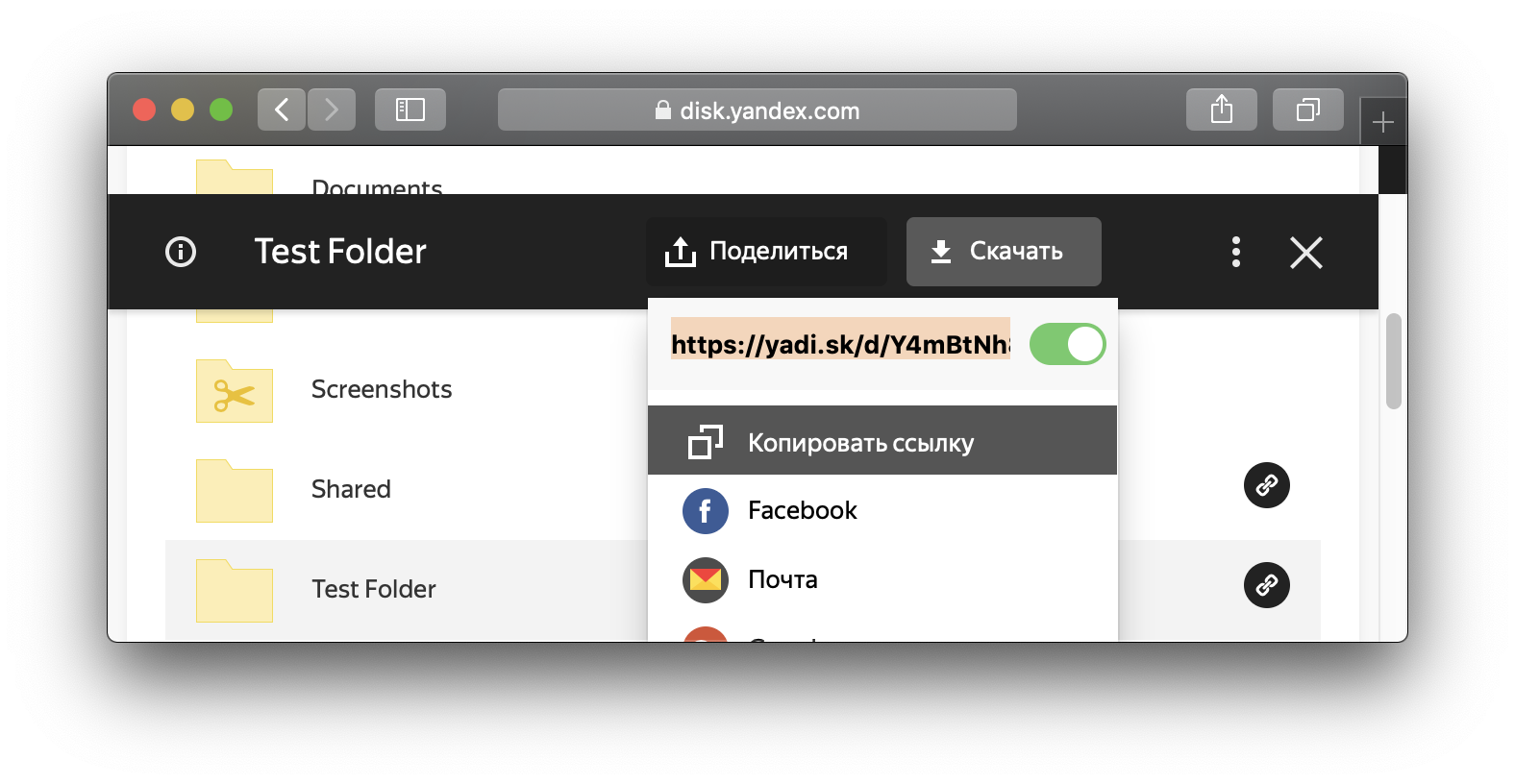
Share Folder as following:
API Calls
In the Official Documentation for the Yandex.Disk REST API we are interested in the section Actions with public files and folders.
The endpoint is:
https://cloud-api.yandex.net/v1/disk/public/resourcesThen, one of the URL query parameters is public_key in our case it is the link which we got from the Yandex Disk Web Interface, as shown in the picture above, for example: https://yadi.sk/d/Y4mBtNh8on_G7Q.
If do the HTTP request as following:
Request
  GET /v1/disk/public/resources/ HTTP/1.1
Query String Parameters
  public_key: https://yadi.sk/d/PB0WCovt4v-Tkg
The resulting URL is https://cloud-api.yandex.net/v1/disk/public/resources/?public_key=https%3A%2F%2Fyadi.sk%2Fd%2FPB0WCovt4v-Tkg
The URL (public key) has to be URLencoded, for example using a JavaScript function, you can simply use a developer console of a browser:
encodeURIComponent("https://yadi.sk/d/PB0WCovt4v-Tkg")To make this part easier, you can use a REST client, I use Insomnia.
If the shared entity is a folder, in the response we are interested in field _embedded.items which contains list of the files in the folder.
And every entity has path and name fields.
We can repeat a request to the endpoint https://cloud-api.yandex.net/v1/disk/public/resources with the samee public_key and path query parameter or with the public_key of the element in _embedded.items, if the entity is a folder.
If the entity is a file, we can get a download link, using the endpoint:
https://cloud-api.yandex.net/v1/disk/resources/downloadIn the same way, we specify public_key of the file, or public_key of the folder and the path.
React code
In order to perform a GET request, install the Axios library:
npm i axiosimport React, { Component } from 'react';
import axios from 'axios';
class App extends Component {
folderPublicKey = "https%3A%2F%2Fyadi.sk%2Fd%2FPB0WCovt4v-Tkg";
endPoint = "https://cloud-api.yandex.net/v1/disk/public/resources"
listFolder(path) {
axios.get(this.endPoint + '/?public_key=' + this.folderPublicKey + "&path=" + path)
.then((response) => {
response.data._embedded.items.forEach(el => {
// process file or folder
});
})
.catch((error) => {
console.log(error);
});
}
}